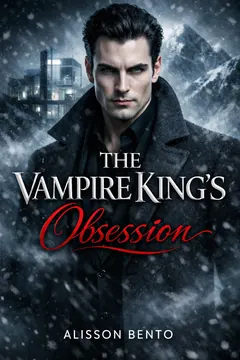
To check Kindle Unlimited for a particular book, open the exact Kindle ebook edition in your local Amazon marketplace, confirm the language and format, and inspect the current Kindle Unlimited designation and borrowing option offered to your account. A similar cover, another translation, or an older recommendation does not establish access to that edition today.
This is a small check with a useful payoff: you know which story you are obtaining and how your account will access it. Once the details line up, you can stop studying the listing and start studying the fictional person whose terrible timing is about to ruin someone else’s plans.
What counts as the exact book edition?
The edition is more specific than the story’s familiar title. For this check, identify the author, title, reading language, Kindle ebook format, and any subtitle or volume information that distinguishes the item. Those details help separate a full novel from a collection, a different installment, or another format.
A cover can be a useful visual clue, but it is not enough. Different formats may share artwork. Translations may use related artwork while changing the title. Updated covers may make the same story look unfamiliar. Give the written edition information more weight than your memory of the image.
Do not treat a paperback and ebook as one access decision simply because Amazon presents them near each other. Kindle Unlimited is relevant to eligible digital reading access. Selecting the print format does not establish that you have found a membership borrowing option for the Kindle edition.
Does an English Kindle Unlimited listing cover the translation too?
Do not assume so. Check the language edition you intend to read separately. A recommendation for an English ebook is information about that choice, not proof that a Portuguese, Spanish, French, Italian, or German edition carries the same current membership option.
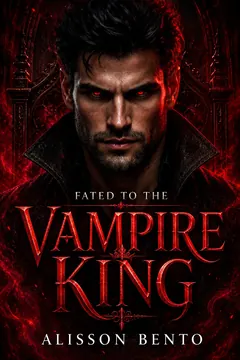
From Alisson Bento’s books
Vampire
A vampire romance about a captive bargain that turns into the only place she wants to be.
Kindle edition · Check Kindle Unlimited availability on Amazon.
Step one: follow the intended title from a reliable starting point
Begin with the book’s own page in the site catalog when it is available there. Choose the reading language you want, then follow the provided Amazon edition link. That starting point helps preserve your original choice as you move from discovering a romance to checking access.
You can also search Amazon directly using the author and title. Add the reading language when similar editions appear. Avoid deciding from a general search snippet alone; open the product listing and inspect the selected item. Search results are a doorway to the check rather than its conclusion.
If a link takes you to a different marketplace than the one you use, resolve that mismatch before relying on the displayed access options. Use the official store appropriate to your account and circumstances. A page’s being in English does not by itself establish that it belongs to your marketplace.
Keep the original title information available while navigating. A small note containing author, title, and language is enough. This is especially useful when translated titles differ or a series has several visually similar covers. You want to carry the book choice forward, not accidentally replace it with the nearest search result.
Step two: match language, Kindle format, and volume details
On the product page, verify the currently selected format rather than assuming the link selected the ebook. Then check the edition’s language and distinguishing details. If the title mentions a collection, a numbered installment, or a shorter companion story, make sure that matches what you meant to read.
Look at the description when the title alone leaves ambiguity. A collection may contain more than one story; a series installment may continue an earlier relationship. These literary questions are separate from membership access, but they still matter when identifying the item you want. Eligibility for the wrong volume is not a successful check.
- Author and title: Are these the people and story you meant to choose?
- Language: Does the edition match the language you want to read?
- Format: Is the selected item a Kindle ebook?
- Scope: Is it the intended novel, installment, collection, or companion?
If any answer is unclear, pause before selecting an access action. Correct the edition first. That brief pause is easier than trying to interpret a borrowing badge while you are still unsure which book the page describes.
Can I assume every volume in a series is included?
No. Repeat the access check for each volume you plan to read. Series membership describes a relationship between stories, not a guarantee of identical Amazon availability. For the separate question of where to begin, see the guide to romance series reading order.
When two listings look almost identical, compare the edition details side by side before choosing one. A subtitle identifying a companion novella or a collection may be easy to overlook in a small search card. If you cannot clearly explain the difference, return to the catalog or official description rather than selecting the result with the most convenient access label.
Step three: inspect the current Kindle Unlimited label
Amazon’s official Kindle Unlimited information explains that included ebooks carry a Kindle Unlimited badge. Look for the designation attached to the selected ebook and inspect the nearby access information. A label on a neighboring recommendation is not evidence about your chosen item.
Presentation can vary by marketplace, device, and account context. Instead of searching for one exact button caption from an old tutorial, ask what the page says the action will do. Does it offer borrowing through your active membership, a membership enrollment, an individual purchase, or a preview?
A badge and your account’s current ability to borrow are related but distinct checks. The badge identifies catalog participation; the available action tells you how access is being offered in the account context you are using. Confirm both before deciding that the book is ready to join your borrowed reading.
If you see a membership sign-up offer, read it as a sign-up offer. It does not prove that your current account already has an active Kindle Unlimited subscription. Similarly, a separate purchase price on an included ebook does not automatically mean borrowing is unavailable; listings can present different access choices.
Step four: confirm the account and access action
Use the Amazon account associated with the membership you intend to use. On a shared computer or phone, check the active account rather than relying on a familiar browser session. The correct book page under the wrong account can still produce an access option that does not fit your situation.
Read the information around the action before selecting it. Some wording describes the cost of reading through a membership rather than an unconditional free ebook. Identify the named service and any membership requirement. The word free, separated from its surrounding explanation, is not enough to establish what you are obtaining.
Also distinguish the sample from the full-book option. A preview can be available when the ebook is not included in your membership. The guide to a Kindle sample vs a Kindle Unlimited borrow explains that difference without turning a sample into an eligibility test.
When the account, edition, and access choice are clear, you have completed the practical verification. You do not need to investigate publisher enrollment details to read the book. The official current listing and your account’s terms are the relevant places to confirm the option offered to you.
Do I need Prime as well as Kindle Unlimited?
Amazon’s publisher guidance states that Prime membership is not required to enroll in Kindle Unlimited. They are distinct arrangements. If a page instead names a Prime reading benefit, check that benefit’s terms; do not treat it as another name for the full Kindle Unlimited membership.
When a recommendation and the listing disagree
Use the current exact-edition listing for the access decision. A post, saved screenshot, newsletter, or friend’s message can explain why a book might appeal to you, but it may describe a different edition or an earlier moment. “I borrowed this” does not mean every reader can borrow every related edition now.
Amazon’s UK Kindle Unlimited help explicitly notes that catalog titles can change. That makes a recheck useful when returning to a saved recommendation. Treat older information as a lead worth following, not a promise that overrides the current page.
If the current page does not establish borrowing for your selected edition, avoid filling in the gap from assumptions. You can choose an available purchase option, look for another story, or seek clarification from official support. An appealing recommendation does not require you to obtain the book through the same route as its recommender.
This applies to the site’s own catalog too. A catalog helps you choose a book and language; the local Amazon listing confirms current access. Browse the fictional worlds here, then let the exact official edition page answer the membership question.
Three examples of an edition-check mistake
The following examples are invented reading situations. They show the kinds of mismatches to catch, without making any claim about a particular author or house book’s eligibility.
- The translation switch: You follow an English-language recommendation but want to read in Portuguese. Before using the access label from the recommendation, locate and check the Portuguese Kindle edition separately.
- The collection confusion: Search results show a collection and one individual novel with similar artwork. Confirm which scope you want, then check the selected ebook’s membership designation. Access to the collection does not establish access to a separate listing.
- The account mismatch: A shared tablet shows an enrollment offer even though you believe you have a membership. Check the account and membership status rather than concluding immediately that the selected edition has left the catalog.
The correction in each case is specific: change the edition, confirm the item, or inspect the account. Repeatedly refreshing the page without identifying the mismatch does not answer the underlying question. Work through the details once, in order, and keep the evidence tied to the same selected item.
Save the choice in a way you can check again
If you are not ready to read, save the title, author, language, and exact listing or catalog page. A note such as “English Kindle edition checked today” is more useful than a cover image alone. It tells your future self what you inspected without pretending the result will remain unchanged.
Recheck when you are ready to select the access option, particularly if time has passed or your account situation has changed. You do not need to monitor every saved book continuously. The important check occurs when you are about to obtain the edition.
For an unresolved account or listing question, contact Amazon through its official help with the exact title, language, and page information. Explain what access option you see and which membership you intend to use. Clear details make the issue easier to describe than saying only that “the book should be unlimited.”
Then return to the enjoyable part. The romance catalog can help you find the setting and relationship dynamic you want tonight. With the edition verified, your next chapter belongs to the chosen story instead of a practical guessing game.
Official Amazon information: Kindle Unlimited inclusion