
Updated October 22, 2026
You have found the romance you want to read, but your library search produces an audiobook, the wrong translation, or nothing at all. Before buying a copy or abandoning the series, check whether your library accepts ebook suggestions. In Libby, that may mean using Notify Me. Elsewhere, it may mean completing a purchase-request form or asking the digital collections team.
The useful distinction is between a book you can reserve and a book you would like the library to acquire. A request expresses demand; it does not promise a purchase, a release-day loan, or a place at the front of a queue. This guide explains how to identify the right edition, choose the right request route, and keep track of what happens next.
The walkthrough below follows current official documentation and published library policies. It is not a report of a request submitted through a personal library account. Examples are illustrative, and your library’s own instructions take priority.
Start with what the catalogue is telling you
Search the exact title and author before searching a trope. “Small-town second-chance romance” is useful for discovery, but it is a poor way to determine whether a particular book is missing. If you remember only the cover, find the title on the author’s or publisher’s official website first. Covers can change between editions without the story changing.
Then follow the branch that matches your result:
- The correct ebook says Borrow: check its language and borrow it if it suits your plans.
- The correct ebook says Place Hold: use the hold option. You have found a reservation route rather than a missing-title problem.
- The result says Notify Me: follow the Libby steps below to register interest.
- Only another format or language appears: keep searching for the edition you need. An audiobook listing does not establish ebook availability.
- No matching result appears: check search filters, try deep search where available, then consult your library’s digital purchase-request instructions.
- The library uses a different ebook service: follow its help pages rather than looking for a Libby button in another app.
Do this check in the library’s own catalogue as well as its ebook app if the two searches show different results. A catalogue record can help identify a title, but the borrowing service is where you need to confirm whether the requested digital edition is actually accessible to your card.
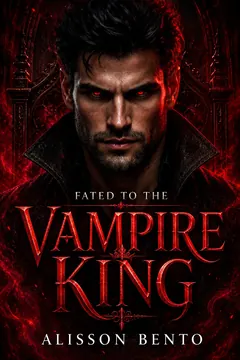
From Alisson Bento’s books
Vampire
A vampire romance about a captive bargain that turns into the only place she wants to be.
Kindle edition · Check Kindle Unlimited availability on Amazon.
Identify the ebook, not just the story
For romance readers, edition confusion is particularly frustrating halfway through a series. The library might have the first book under an older cover, the next volume as audio, and a translated edition of the one you need. Write down the details before making the request so the selector can identify your intended reading experience.
- Title and author: include a subtitle or pen name when it distinguishes the book.
- Format: specify ebook, not simply “digital book,” if audio would not work for you.
- Language: state the language you want, even when the title seems unambiguous.
- Series and volume: add these if you are filling a gap, but request the specific book rather than an unspecified complete series.
- Publication details: include the publisher and release date if you can verify them.
- Identifier: provide the ebook ISBN when available, checking that you have not copied the paperback or audio ISBN instead.
- Reliable link: use an author or publisher listing that clearly identifies the edition.
If you cannot verify an ebook ISBN, say so or leave the optional field empty. Do not guess one to make the form look complete. An accurate title, author, language and source link are more useful than a precise-looking identifier attached to the wrong edition.
Keep reading preferences separate from bibliographic facts. “I want the next book in this series” explains your reason for requesting it. “This is a closed-door romance” is a claim about the story that should not be added unless you have reliable evidence. A purchase suggestion does not need a miniature review, a list of assumed tropes, or a claim that everyone in your community wants the same book.
How to use Notify Me in Libby
Libby’s official missing-title instructions describe this route, while noting that some libraries do not offer the feature:
- Search for the specific title, author or series.
- If necessary, select deep search at the bottom of the results or in the filters. Narrow a very broad search; the help page says searches with more than 100 results need to be made more specific.
- Find the matching title in the expanded results and check the format and language.
- Select Notify Me and follow the prompts to create or use a Notify Me smart tag.
Some titles will not appear even in deep search. Libby explains that a book may lack a digital edition or may not be available for library purchase. An absent result alone cannot tell you which explanation applies.
A worked romance-reader example
Suppose you want the English ebook of the second novel in a romance series you are reading. This is a hypothetical scenario, not an availability claim about a named author or book. Your first search finds only an audiobook. You check the author’s series page, copy the exact second-book title, and search again using the title and author together.
Next, you enable deep search if your library offers it. Imagine that the ebook now appears with Notify Me. Before selecting it, compare the language and title with your notes. If the matching record is a translated edition, it is not the request you intended. If the English ebook matches, use its Notify Me control and finish the smart-tag setup.
Your own tracking note can now say “Interest registered for English ebook; not borrowed or reserved.” That is a more useful status than “requested” alone, which can make you think the book is already on its way. If your library’s instructions also direct you to a separate form, follow them; otherwise, do not automatically duplicate the request through several channels.
Libby’s recommendation FAQ explains that Notify Me interest is anonymously shared with all your saved libraries. If a tagged title is purchased, the notification offers a chance to borrow it or place a hold. You still need to take that next step. Treat the alert as an invitation to check availability, not an automatic checkout.
Review the available alert settings during setup. Libby’s smart-tag guidance explains the notification features. A personal reading-list tag and a Notify Me smart tag serve different purposes, so do not assume an ordinary “want to read” list has registered a purchase interest.
Your library decides which request route to use
The app workflow is only part of the process. The library may direct digital suggestions to Notify Me, accept a separate form, or set limits on which requests it considers. Start from the library’s official website and look for “suggest a title,” “suggest a purchase,” “recommend a book,” or digital-library help.
For a concrete US example, Orange County Library System’s suggestion page directs ebook and digital audiobook requests to Libby’s Notify Me feature. Its page also says it reviews one title per suggestion rather than series requests. That is a reason to check local instructions before writing one long request for every volume you hope to read.
A different example comes from Australia. Monash Public Library Service explicitly considers ebook and eaudiobook suggestions through its purchase-suggestion route, while warning that budget constraints may prevent some purchases. These examples illustrate different local approaches; neither policy should be treated as a rule for libraries worldwide.
Before submitting, check the following:
- Are you eligible to make suggestions with your current membership?
- Does the form accept ebooks, or is there a separate digital route?
- Is there a monthly request limit or a rule about forthcoming releases?
- Does the library want one title per submission?
- Will you receive a decision, or must you check the catalogue later?
- Does a successful suggestion create a hold, or will you need to place one yourself?
If the page is unclear, ask a narrow question: “What is the correct way for a cardholder to suggest an English-language romance ebook?” That gives staff a concrete problem to solve without assuming they can obtain every retail title. If the library uses cloudLibrary, BorrowBox or another service, ask which process applies to that collection rather than assuming Libby’s instructions transfer unchanged.
Why a retail listing is not enough
A book being sold online does not establish that your library can license the ebook through its supplier. OverDrive’s Libby search guidance notes that some publishers do not offer content through Libby and that some titles are exclusive to another platform. If a title remains missing, staff may be able to investigate the available options.
Libraries also work with different lending arrangements. OverDrive’s lending-model documentation distinguishes permanent one-copy/one-user licenses, metered licenses that expire by time or checkouts, and other models. A library’s collection decisions therefore involve more than the retail ebook price. Avoid assuming a low sale price means a library can add an unlimited supply of copies.
For your request, the practical question is specific: can this library obtain this format and language for its collection? Country, supplier, license availability and collection policy can all matter. Another reader’s successful request elsewhere is encouraging, but it is not a promise about yours.
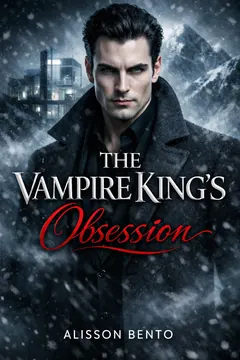
From Alisson Bento’s books
Vampire
A vampire romance about a hero who claims her and never lets anyone forget it.
Kindle edition · Check Kindle Unlimited availability on Amazon.
A purchase-request template you can adapt
Use the library’s form when one is provided, placing the information in its matching fields. The following is sample wording, not a submitted message. Replace the bracketed details and remove anything you cannot verify.
Hello, I would like to suggest the following ebook for the library’s digital collection.
Title: [exact title]
Author: [author]
Format and language: ebook in [language]
Series: [series and volume, if relevant]
Publisher and publication date: [verified details, if available]
Ebook ISBN: [verified identifier, if available]
Edition information: [official author or publisher link]I searched [catalogue or service] on [date] and found [no matching ebook / only the audiobook / only another language]. I would like to read this title because [brief personal reason, such as continuing the series].
Could you consider it for purchase, or let me know the appropriate digital request route? [If true: I would also be interested in a print edition if the ebook cannot be obtained.] Thank you.
The most useful customization is the sentence about what you found. If the catalogue has a print edition, say so. If you want the ebook specifically for adjustable text or reading on a particular device, you can explain the practical requirement without sharing private medical information.
Keep personal information inside the library’s official form and supply only what it requests. There is no need to post your card number or account details in a public comment, social-media request, or discussion about the book. For a general question to staff, bibliographic information is usually the useful starting point.
After submitting: track the outcome without guessing
Save the request date, exact edition, route used and any reference number. Separate three possible states in your notes: interest registered, suggestion accepted for consideration, and ebook available to borrow or reserve. This prevents a confirmation email from becoming an assumed acquisition date.
Follow the library’s stated response times. If no timetable is given, ask how readers should check progress rather than sending repeated copies of the same suggestion. A practical personal reminder to revisit the catalogue can be useful, but it should not be mistaken for an expected delivery date.
When the title appears, check the format again before borrowing. A library may acquire another edition or language, and an author or series notification may concern a different book. If your book club meets on a fixed date, keep an alternative ready; a purchase request is not a reliable way to guarantee simultaneous access for a group.
What to try if the ebook cannot be added
Ask whether another digital service already included with your membership offers the title. If you have legitimate access to another library or reciprocal borrowing arrangement, check its eligibility and digital-access terms. Do not assume that a card available to visitors includes the same online borrowing privileges as a resident membership.
Consider a print edition if that genuinely works for you. Interlibrary loan may help with an eligible physical book, but it is a separate service with separate rules. For example, Seattle Public Library excludes ebooks and other digital media from its interlibrary loan requests. Ask your own library what it can obtain rather than treating interlibrary loan as a universal ebook transfer system.
If borrowing cannot meet your timing, an authorized purchase or subscription may be another option. Our guide to Kindle Unlimited versus buying an ebook helps distinguish those access choices. Check the exact title and edition in the service before paying; this article does not establish subscription or library availability for any author’s catalogue.
Frequently asked questions
Does Notify Me guarantee the library will buy the book?
No. It records interest and can alert you if the title is acquired. The library still makes its collection decisions. Do not plan a dated reading commitment around an unconfirmed suggestion.
Is Notify Me the same as a hold?
No. A hold is the reservation step. If you receive an acquisition notification, open the matching record and check whether you can borrow or place a hold. Your earlier interest does not remove that step.
Can I request the ebook when the library already has the audiobook?
Check the library’s policy, then specify the ebook format. Make clear that you have found the audio edition and want the text edition. That avoids making the request look like an accidental duplicate.
Can I request an entire romance series?
Follow the library’s rules. If it permits only individual suggestions, identify the next missing volume and explain the series connection briefly. Do not split a series into multiple requests to evade a stated limit.
Will the borrowed ebook work on my Kindle?
Check before requesting a title primarily for that device. Libby’s Kindle instructions describe Kindle delivery as US-only and say most, rather than all, Libby books support it. Library ebook access and device compatibility are separate questions.
What is the best request to make?
A precise, honest one: the right title, author, language and format, sent through your library’s chosen route. Give staff enough information to identify the edition, keep a record of the response, and leave room for licensing or budget limitations. That gives your next romance read a clear path without promising an outcome the library has not confirmed.