Amazon’s standard setup for the 2026 Kindle requires an Amazon account and an internet connection. Once a compatible Kindle is set up, you can read books that are already downloaded with Wi-Fi off. You can also copy compatible personal files to an accessible Kindle over USB, without sending those files to Amazon’s cloud. Whether a particular unregistered device gives you access to its library depends on the model and its setup state. Check that before buying a Kindle for a strictly account-free library. Amazon’s 2026 Kindle setup guide
The phrase “without Amazon” can describe three very different plans. One reader wants to buy novels from an independent author and keep the files on a laptop. Another wants to finish a Kindle Store purchase on a flight. A third has inherited an older Kindle and wants to start fresh with no online profile. The cable can help the first reader, a completed download can help the second, and identifying the device may save the third from a permanent mistake. The rules and sources here were checked in November 2026.
Do you mean no account, no Wi-Fi, or no subscription?
No Amazon account at all. If you’re considering a new Kindle, follow the setup documentation for the exact device. Amazon’s instructions for its 2026 base Kindle and aluminum version include registration. An older video showing a skip button is evidence about the unit in that video, at the time it was filmed. It cannot tell you which screens your Kindle will show. If you’ve already reached the library without signing in, test one compatible file over USB. If the reader stops at registration, USB file access by itself doesn’t establish that you can open the library on the device. Amazon’s guide to finding your Kindle model
No Wi-Fi while reading. Keep a working Kindle registered and download what you want before you disconnect. A book can appear in your account library before the full text is stored on the reader. Open the book and turn a few pages, then switch on airplane mode and open it again. If you’re picking several titles for a trip, do this with each one. A completed test takes less time than discovering at the airport that your next novel is still in the cloud. Amazon’s 2026 Kindle user manual
No monthly subscription. Registration links the reader to an Amazon account. Kindle+ is Amazon’s separate borrowing subscription. You can register a standard Kindle, buy an ebook individually and read it without subscribing to Kindle+. On a book page, look at whether the action buys the ebook or opens a subscription offer. Canceling a subscription and removing an account from a device are two different actions, and loans are subject to their own access terms. Amazon’s Kindle+ help · How Kindle Store purchases work
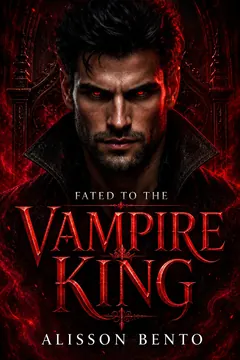
From Alisson Bento’s books
Vampire
A vampire romance about a captive bargain that turns into the only place she wants to be.
Kindle edition · Check Kindle Unlimited availability on Amazon.
Which books can you read on a Kindle?
Start with how you got the book. A Kindle Store order appears under the Amazon account that acquired it. A protected file from another retailer may open only in that retailer’s app or in software approved for its particular format. A DRM-free novel downloaded directly from an author, a public-domain book from a reputable collection and a PDF you created are separate files that you can keep on a computer. Their device compatibility depends on the format and layout. You can sometimes change those while retaining your original file.
For an ordinary Kindle Store purchase, sign in to the account used for the order and download the book on a supported Kindle linked to that account. If it doesn’t show up, Amazon offers a delivery option in its content and device manager. Check the registered account and the device list before troubleshooting the cable. A USB connection doesn’t grant access to a missing order, a title bought under a different account, or a loan that has expired. Amazon’s instructions for delivering purchased Kindle books
There is a narrower path for some purchases. Since January 20, 2026, Amazon’s Kindle Direct Publishing help says verified buyers can download PDF or EPUB copies of eligible titles for which the publisher has confirmed DRM-free downloads. You still need the purchase account to obtain the file, and subscription loans do not qualify. Older books originally published without DRM may need the publisher’s confirmation before the download appears. If you can download a copy, choose the file that works for the device and transfer method you intend to use. Amazon KDP’s download policy
A PDF, an EPUB and an online loan solve different problems
For the 2026 base Kindle, Amazon lists PDF and TXT as formats the device can read natively. A short PDF that opens on your computer makes a useful USB test. A full-page scan has fixed pages, though, and small print can stay small on an e-reader. For a novel, a reflowable edition that lets you change text size and line wrapping often reads more comfortably. Evaluate the actual page as well as whether the file appears. If you need larger type, open a dialogue page and a page with long paragraphs before transferring a whole set. Amazon’s 2026 Kindle manual
Amazon accepts EPUB through Send to Kindle, which processes the file for the Kindle library. That compatibility list applies to the service. A raw EPUB copied into a folder over a cable does not get the same processing. If your book provider offers a file specifically for your Kindle model, use its instructions. For example, Project Gutenberg identifies different downloads for Kindle readers and documents a cable workflow for older units. Keep the original EPUB even if you use a different file on the e-reader. Changing the letters after the dot in a filename leaves the contents exactly as they were. Amazon’s personal document support · Project Gutenberg’s reading instructions
For library ebooks, check the library’s reading options before choosing hardware. Libby documents a Kindle route for eligible loans in the United States that delivers the book to devices associated with the borrower’s Amazon account. A library card and access to Libby don’t guarantee that a particular loan can be sent to an e-reader, and a lender’s file link may be intended for its approved reader rather than direct copying. Start with the format the library offers for the title you actually want. Libby’s Kindle instructions
How to put a personal file on a Kindle using USB
Use a device that can reach its library, a USB cable that transfers data and a copy of one file you can already open on your computer. Give the file a short, recognizable name like “Weekend reading test.pdf.” If the Kindle asks whether you want to charge or transfer files, choose file access. Do this first with a short sample. Moving hundreds of books immediately makes it harder to distinguish a connection problem from one incompatible file or a mislabeled document.
On Windows, Amazon’s instructions say you can use File Explorer without installing a separate transfer app. The reader can appear as Kindle or Kindle Scribe rather than as a drive letter. Open its documents folder and copy in the test file. On a Mac, some Kindle models mount in Finder, while Amazon documents a separate app for Kindle Scribe and the 2024 releases. The 2026 base Kindle manual also points Mac users to the USB File Manager in Amazon’s Send to Kindle app. Use Tools → USB File Manager for the cable workflow and check the app requirements against your Mac. This is a local transfer feature, separate from uploading a document to the Send to Kindle service. Amazon’s USB instructions for Windows and Mac · 2026 Kindle manual
Wait for the copy to finish and follow the disconnect instructions for your model. In the Kindle library, clear filters that could hide personal documents and look for the sample. Open it, move a few pages forward and return to it after putting the reader to sleep. If you normally read with a large font or use accessibility controls, try those before loading the rest of the collection. Treat opening the file and reading it comfortably as two checks. A scan can pass the first and fail the second.
If the Kindle charges but the book doesn’t appear
If the computer can’t see the reader, try a cable you know transfers data and a direct port on the computer. Look for a file-transfer prompt on the Kindle. Mac users can check whether the model requires the USB File Manager and close other transfer apps that might be using the device. If you can see the Kindle and its folders, focus on the file itself. Check that the copy finished, the extension matches the real format, and the library view includes documents. Try a short PDF your manual says the model can open. Amazon’s USB troubleshooting
If the sample works and a particular book still fails, open that book on the computer and check its source and available formats. A download can contain a shortcut to a service, an archive that needs unpacking or a file meant for another reading app. Unpack or rename files on your computer before copying them. If the sample itself never appears, note the Kindle model, computer operating system and the last step that worked. Those three facts give support more to work with than a description such as “my books disappeared.”
USB copies are local. Keep the originals and record which version you put on the Kindle, especially if you edit documents on your computer. If you remove a local-only copy from the reader, its presence on the device doesn’t create a cloud backup you can restore. The same applies when you replace a reader. Set aside a folder of your personal files before making changes, and keep separate copies of any notes you need according to the options your model provides. Amazon’s manual on device and cloud storage
From Alisson Bento’s books
Vampire
A vampire romance about a hero who claims her and never lets anyone forget it.
Kindle edition · Check Kindle Unlimited availability on Amazon.
What changed for Kindles released in 2012 or earlier?
On May 20, 2026, Amazon ended support for the Kindle e-readers it lists as released in 2012 or earlier. They include the Kindle Keyboard, Kindle Touch, Kindle DX and fifth-generation Kindle Paperwhite. Use the model number or Amazon’s identifying features rather than the year you bought the reader. Someone could have bought a fifth-generation model years after release. The date on a receipt tells you when it was sold, while the release generation determines whether the cutoff applies. Amazon’s affected-device list · Kindle model identification
Amazon says the affected models can no longer register or connect to its services to buy, borrow or download books. A reader that’s still signed in can retain access to the books it already downloaded. Amazon also documents USB transfer of personal documents on affected e-readers. Do not deregister or factory-reset a working affected Kindle. Amazon says resetting or deregistering leaves it unable to register again or be used. The distinction matters if you see a used Kindle advertised as recently reset. Ask for the generation and confirm its condition before paying. A screen showing the setup prompt is different from a demonstration that the device opens and reads your test document. Amazon’s support notice for older Kindles
If an affected Kindle has already been reset, separate the device from the library you acquired. The cutoff applies to the old hardware. Amazon says its account library remains accessible through supported devices and apps. If your goal is to read your existing purchases rather than preserve that particular e-reader, the steps for a phone, tablet or computer cover that separate choice. For personal documents, look for the originals on your computer or the source that provided the download.
Choose a reading setup based on where your books come from
If your novels mainly come from the Kindle Store, an Amazon account with a compatible registered reader gives you the normal delivery path. For travel, queue your downloads while the connection is steady, test them with Wi-Fi off and bring a data-capable cable if you expect to add personal files from a computer. Check library loans individually if a trip overlaps their due dates. An offline test confirms availability at the time of the test. It cannot extend the access period of a loan.
If you mainly read independent downloads and personal documents, compare a Kindle and an EPUB reader by how they handle the same sample. Consider whether you have a computer available for USB, how often you add books and whether you need the same reading position on several screens. Someone who loads three books before a holiday has a different workflow from someone who switches between a phone and an e-reader every day. If zero Amazon sign-in is essential, choose hardware that explicitly documents local reading and initial setup on those terms. If the manufacturer’s setup instructions are ambiguous, ask about opening a local file on a new unit before buying.
If a document is sensitive, decide whether you want a local copy or a cloud workflow. USB can keep the transfer between your computer and e-reader on a compatible setup. Cloud delivery can be convenient if you want the book available on multiple linked devices. Use the option that suits the contents and where you want them stored. If your computer and Kindle are shared, remember that a file copied locally can still be visible to someone with access to the reader.
Frequently asked questions
Can I use a Kindle bought secondhand with my own account?
First identify the model and check its registration status. On a supported model, use Amazon’s instructions for a device previously registered to another owner and verify that it can be registered to your account. Treat the previous owner’s account and library separately from the hardware. For an affected model released in 2012 or earlier, the loss of registration support changes the answer. If the listing promises that you can set it up under your account after a reset, compare the model with Amazon’s cutoff list before buying. Amazon’s setup manual · Affected Kindle models
Does a USB transfer need internet access?
Once you have the file, the necessary transfer software and a Kindle that exposes file access, copying the file over a cable is local. You may need internet earlier to obtain the file, install the Mac transfer app or complete the device’s initial registration. The easiest way to confirm what you can do offline is to have the test file ready, disconnect from Wi-Fi and see whether you can copy and then read it.
Can I read any book I find online?
Check how the book is distributed, whether you can lawfully obtain a usable file and what the exact Kindle model supports. Reading online in a browser, opening a compatible local file and downloading a Kindle Store edition are different routes. If your book source offers multiple downloads, start with the copy recommended for your reader or the service you plan to use. Knowing the source, format and model is enough to decide which of the steps above applies.