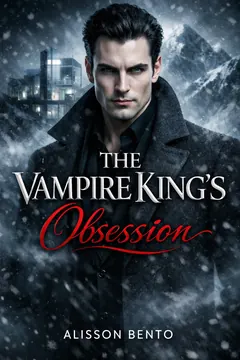
A temporarily free Kindle romance is easiest to find when you start with the announcement and finish on the page for the exact Kindle edition. The announcement tells you which book is on offer. The store page tells you what your account would be charged for that edition right now. Keeping those two steps separate helps when an author has books with similar titles, when one translation is on promotion, or when an offer has already ended by the time a newsletter reaches you.
This guide uses Kindle+ for Amazon’s reading subscription, which Amazon previously called Kindle Unlimited. A subscription badge can appear alongside a regular purchase price. The price to check for a free promotion is the one next to the option to acquire the Kindle ebook. You’ll also want a short record that tells you which language and edition actually landed in your library. With a few fields, a reading list becomes useful even after the store page changes.
Start with a source that names the book and the promotion
An author’s newsletter, book page, or social announcement can be a good first lead. Look for the title, the author’s name, the language, and the dates. An offer may apply to the first book in a series while the other books keep their normal prices. Sometimes an author shares a roundup with links to several books and gives each one a different promotion window. Open the link for the title you want and match it to the announcement before looking at the price.
You can also browse the Kindle Store by category or use a free Kindle list as a way to discover titles. Think of the list as a starting point. A product page can give you details about the edition that a list omits. The Kindle format may appear next to paperback and audio choices, and the selection highlighted when the page opens can depend on the link you followed. Switch to the Kindle format before comparing its price with the announcement.
A simple way to reduce clutter is to start with a trope or subgenre you already enjoy. If you want a second-chance romance, skim the description for the reason the characters have to meet again. If you want a cozy small-town romance, see what the town gives them to do beyond the first encounter. A free price can make it tempting to collect broadly. A short description check means the books you add are the ones you can imagine opening next week.
Use Amazon’s help page on buying for the Kindle app if the app sends you to a browser or you need to find the book after a purchase. If you discovered it on a phone, you can save the link and open it on a larger screen later. Recheck the price at that point. The longer you wait between discovery and acquisition, the more likely you are to see a different price or a different edition selected.
Confirm the store, language, format, and price
Sign in to the account you normally use to read Kindle books and open the Kindle store for your account. The store link in a newsletter may lead to a different Amazon marketplace. Use the same title and author to find the corresponding listing in your own store if necessary. If the local listing shows a price while an image from another store shows zero, the local listing is the one that governs your choice. An offer can also change between the first time you view a page and the time you are ready to act.
Check the language in the product details. A title can appear under its original English name in more than one territory, and a translated edition may have a different title or subtitle. The author name helps match the book, but it cannot tell you which translation you are about to add. Use the sample or edition details when the cover is similar across versions. When you are reading for a club, make sure the language and book in the series match the invitation before you add it.
Check the format again after following a store link. A paperback price or an audiobook trial offer can sit beside the ebook price. Locate the Kindle ebook purchase option and read the amount next to it. Only proceed when the amount shown for the order is zero in the currency used by that store. Some purchase actions can place an order immediately, so read the price before selecting the button. If the page shows conflicting amounts, refresh it or return from the Kindle Store search and check again.
Amazon’s KDP Free Book Promotions documentation describes a limited-time promotion available to eligible KDP Select Kindle ebooks. It helps explain why an author might announce a short window. Use the date in the announcement to decide when to check, and use the live store price to decide whether the offer is available to you. If the price has already returned, your next choice is whether to save the title for later or move on to another book.
Tell a zero-price ebook from a subscription loan or a sample
A zero-price Kindle ebook acquisition shows a purchase option with an amount of zero. A Kindle+ loan uses the subscription route. A sample adds an excerpt. All three can put something connected to the title on your device, which is why a cover appearing in a library view is only the beginning of the check. Identify the button you used and look for the confirmation that corresponds to it.
Amazon’s Kindle+ help page describes the subscription as borrowing from an eligible catalog. If a listing offers the book through Kindle+ and the purchase option shows a positive price, you can choose whether to borrow the book through the subscription or wait for a purchase promotion. A free trial is a subscription offer with its own terms. Review those separately if all you wanted was one ebook at zero.
A sample is useful when you are deciding whether the opening suits you. It can reveal the language, point of view, and initial relationship setup before you add the full title. If you already have a sample, take a moment to identify the new entry after acquiring the book. Look for the edition details and the expected full-book entry. The sample can stay in a reading list if you still want it for comparison.
Consider a fictional example. An author’s newsletter announces that book one is free in English through Sunday. You open the listing and see the ebook at zero, a paperback at a separate price, and a Kindle+ badge. You want the English ebook, so you use the zero-price purchase option and save that edition’s link. If a different store page shows only the subscription button and a paid purchase price, you can still decide to borrow, but your record should say that is what you did.
Save the exact edition with five small details
Record the title and author, the language, the format, the marketplace, and the direct product link. If the page exposes an ASIN or other identifier, save it too. A link is easy to open today. An identifier helps distinguish similarly named listings when you come back later. If you use a spreadsheet or a notes app, one row per edition makes it easy to sort by language or spot two formats for the same book.
Keep the way you obtained the book in its own field. A few practical labels are zero-price purchase, Kindle+ loan, sample, and saved for later. Add the date you checked. If the promotion ends tomorrow, you can record the announced end date as a note rather than relying on memory. Once you confirm the acquisition, the date of your check is useful even if the price on the page changes.
For a series, add the number only if the author or the store identifies it. A novella with a related title may be a prequel, a side story, or an extra attached to another edition. If you want to read a specific sequence, verify the starting point before acquiring more books. For interconnected standalones, the order may be less important than the pairing or trope. A field for the reason you saved a title can be more helpful than a number by itself.
Your notes can stay simple. A fictional entry might read: “River Road Reunion, A. Reader, English, Kindle ebook, U.S. store, product link, checked November 28, zero-price purchase, second chance.” The example gives you enough to recognize the book later and understand why it caught your eye. If you subsequently borrow a translated edition, it belongs on a second row. That makes it easier to keep the reading history associated with the right copy.
Compare two editions before you share a link
Imagine a reader who saved a link on Friday, then receives a newer link on Sunday. The covers have the same image, but one listing says book one and the other includes a bonus story in its subtitle. Open each page and check the format and edition details. If both pages refer to the same book but have different identifiers, record them separately. The reader who only wants the main novel can choose the copy their group will discuss. Someone who wants the bonus material can check the other listing on its own terms. The short title on a wish list may look identical for both copies, so keep the identifying detail in the note you are most likely to read later.
When you share the offer, send the product link you checked and say which store and language you used. Give the other reader enough information to find the title again if the link opens in a different marketplace. If the advertised window has passed, a title and an author can still be a worthwhile recommendation. Describe it as a reading suggestion so the recipient knows to check the current offer before choosing.
Verify the book in the account you read with
After you use the purchase option, look for the confirmation and open your Kindle library on the account you used. If it does not appear immediately, sync the app or device and confirm you are looking at the same account. A household that shares devices can easily have more than one Amazon sign-in. Check the library filters as well. A view showing only downloaded items can hide a book that is available to download.
Use Amazon’s guide to sending books to your Kindle e-reader if the book is present in your account and you want to deliver it to a registered device. Compare the title and author against the confirmation before changing your notes. If the library has multiple copies, use the format and edition information to find the one you intended to read. You can mark the listing you originally found as checked once this part is done.
If the offer disappeared before you could use it, save the book as a future lead and leave the acquisition field open. You can also set an ordinary reading reminder for a favorite author and check later. An old image saying free can help you remember why you opened a page. The current offer and your account record tell you whether you actually added it. That small distinction prevents a list of interesting possibilities from turning into a list of books you think you already have.
Keep the reading queue small enough to use
After a round of searching, pick one or two books to start. Open the full edition and read a little before you add more titles. If you liked the voice but want a different trope, put that in your notes. If the first installment made you curious about the series, save the author series page. A useful queue should make it easier to choose what to read next rather than give you another archive to maintain.
For a book club, send the exact link, the language, and the date on which you confirmed the price. Invite members to check their own store before they act. If the offer has a short window, give the group a way to choose another book if several members miss it. Agree on a recognizable stopping point if the club uses different formats. A chapter number or an early event works better than a page number that may vary from one version to another.
The next time you see a free Kindle romance announcement, you can answer three questions in a minute or two. Does the listing match the author and the edition? Is the Kindle purchase price zero where you read? Can you see the full book in the right account afterward? Save the details while they are on screen, and leave the rest of your time for the romance you found.